
AMT Pace of Tape
Trade rate from time and sales with bid/ask split and spike detection
Measures real-time trade rate from Time & Sales data with bid/ask directional split. Colors price bars by pace intensity relative to a moving average, marks extreme pace spikes, and optionally shows delta-dominant arrows. Persists data across chart refreshes.
The Concept
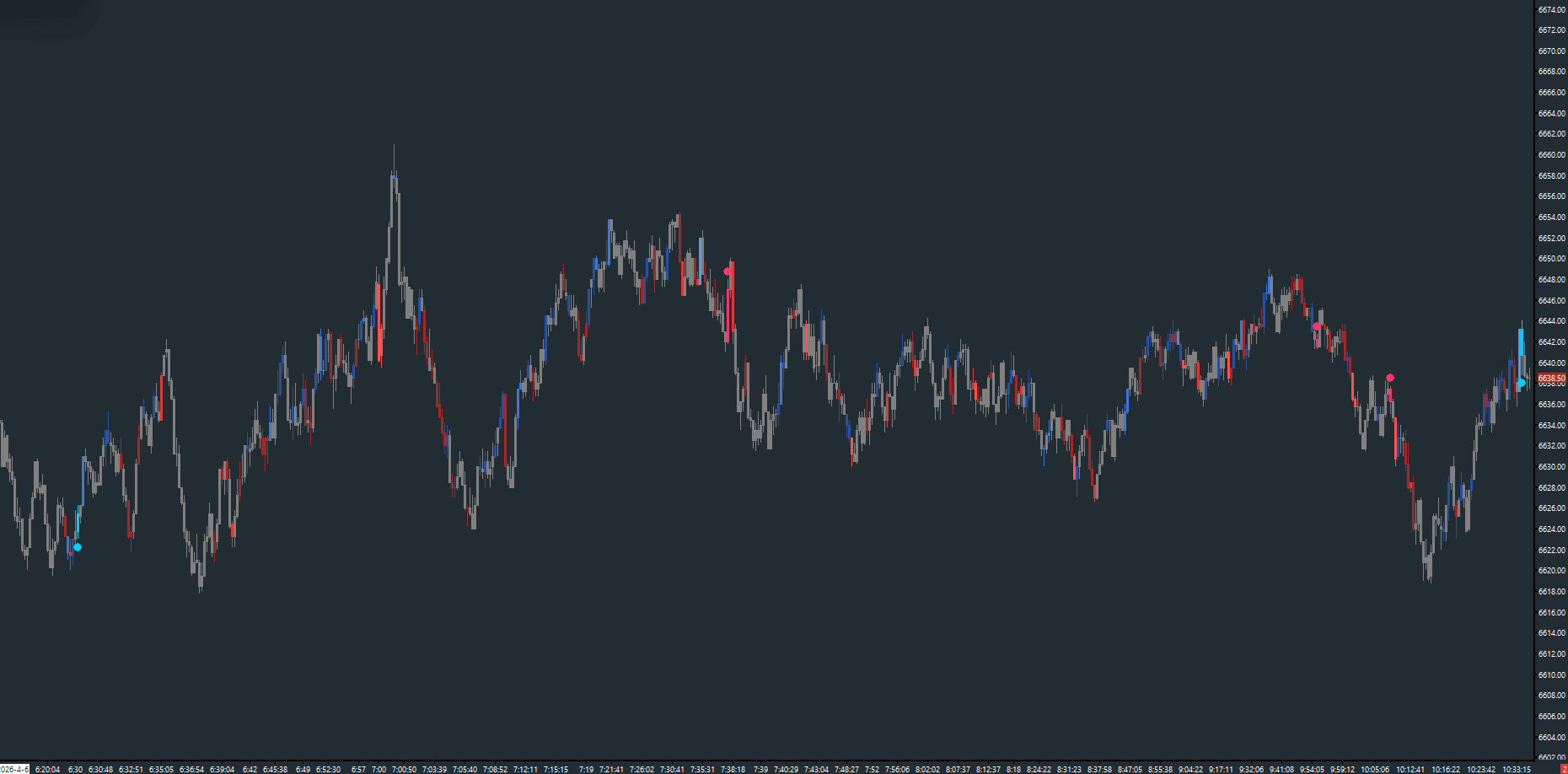
Pace of Tape measures how fast trades are occurring — the velocity of the tape. Fast tape (high pace) during a move confirms conviction, while a move on slow tape is more suspect. Unlike volume which measures size, pace measures urgency. The study tracks trade frequency in real-time, separates activity by side (bid vs ask), and colors bars by intensity relative to recent norms so you can instantly see when the tape accelerates.
How to Read It
Bars are colored based on pace intensity and directional dominance.
- Blue-shaded bars indicate buy-dominant pace — aggressive buying with urgency
- Red-shaded bars indicate sell-dominant pace — aggressive selling with urgency
- Darker shades = pace slightly above average; brighter shades = extreme pace
- Spike dots at bar extremes mark the highest-intensity events
- Optional delta arrows highlight bars where one side significantly dominates the other
Practical Tips
The default 10-second lookback window works well for ES on most bar types. Decrease it to 3–5 seconds for faster instruments or scalping. Enable 'Volume Weighted' to weight each trade by its lot size rather than counting uniformly. The 4 buy and 4 sell color inputs let you define a gradient from dim to bright for increasing pace intensity. Data is persisted to disk so bar colors survive chart refreshes.
Input & Settings
| No. | Input Name | Function |
|---|---|---|
| 1 | Lookback Window (seconds) | Time window over which trade rate is measured. Default: 10. Range: 1–300. |
| 2 | Volume Weighted | When enabled, weights each trade by its volume instead of counting uniformly. Default: No. |
| 3 | SMA Period (bars) | Number of bars for the smoothed pace average used for intensity comparison. Default: 5. Range: 1–100. |
| 4 | Alert Threshold (0=off) | Pace rate threshold for triggering an alert. 0 = disabled. Default: 0. |
| 5 | Use Different Symbol | Optionally subscribe to a different symbol's T&S data. Leave blank for chart symbol. |
| 6 | Enable Delta Arrows | When enabled, displays directional arrows when one side's pace significantly dominates the other. Default: No. |
| 7 | Large Lot Min Size (0=all) | Only count trades with size >= this value. 0 = count all trades. Default: 0. |
Time window over which trade rate is measured. Default: 10. Range: 1–300.
When enabled, weights each trade by its volume instead of counting uniformly. Default: No.
Number of bars for the smoothed pace average used for intensity comparison. Default: 5. Range: 1–100.
Pace rate threshold for triggering an alert. 0 = disabled. Default: 0.
Optionally subscribe to a different symbol's T&S data. Leave blank for chart symbol.
When enabled, displays directional arrows when one side's pace significantly dominates the other. Default: No.
Only count trades with size >= this value. 0 = count all trades. Default: 0.
Subgraphs
| No. | Subgraph Name | Function & Comments |
|---|---|---|
| 1 | Pace Data | Default: Ignore. Internal subgraph storing the computed pace rate per bar. |
| 2 | Pace Color | Default: Color Bar. Colors the main price bars by pace intensity and directional dominance. |
| 3 | Spike Dot | Default: Point. Dots at bar extremes marking extreme pace events. Cyan for buy-dominant, pink for sell-dominant. |
| 4 | SMA | Default: Ignore. Smoothed average pace rate. Can be enabled for display. |
| 5 | Alert Level | Default: Ignore. The configured alert threshold level. |
| 6 | Delta Up Arrow | Default: Arrow Up. Marks bars where ask-side pace is 2x bid-side pace. Cyan. |
| 7 | Delta Down Arrow | Default: Arrow Down. Marks bars where bid-side pace is 2x ask-side pace. Pink. |
Default: Ignore. Internal subgraph storing the computed pace rate per bar.
Default: Color Bar. Colors the main price bars by pace intensity and directional dominance.
Default: Point. Dots at bar extremes marking extreme pace events. Cyan for buy-dominant, pink for sell-dominant.
Default: Ignore. Smoothed average pace rate. Can be enabled for display.
Default: Ignore. The configured alert threshold level.
Default: Arrow Up. Marks bars where ask-side pace is 2x bid-side pace. Cyan.
Default: Arrow Down. Marks bars where bid-side pace is 2x ask-side pace. Pink.
Free with the AMT Toolkit
This study is part of the AMT Toolkit — a free collection of Sierra Chart studies for orderflow, market structure, and chart utilities. 100% free, with no AMT Gold membership or credit card required.
Sierra Chart and applicable market-data fees are separate.
Get the AMT Toolkit — Free