Tick Delta
Tick-level delta analysis for granular buyer/seller pressure
Analyzes delta at the tick level for a granular view of buyer vs. seller pressure within each bar. Provides a more detailed picture of order flow than standard bar-level delta calculations.
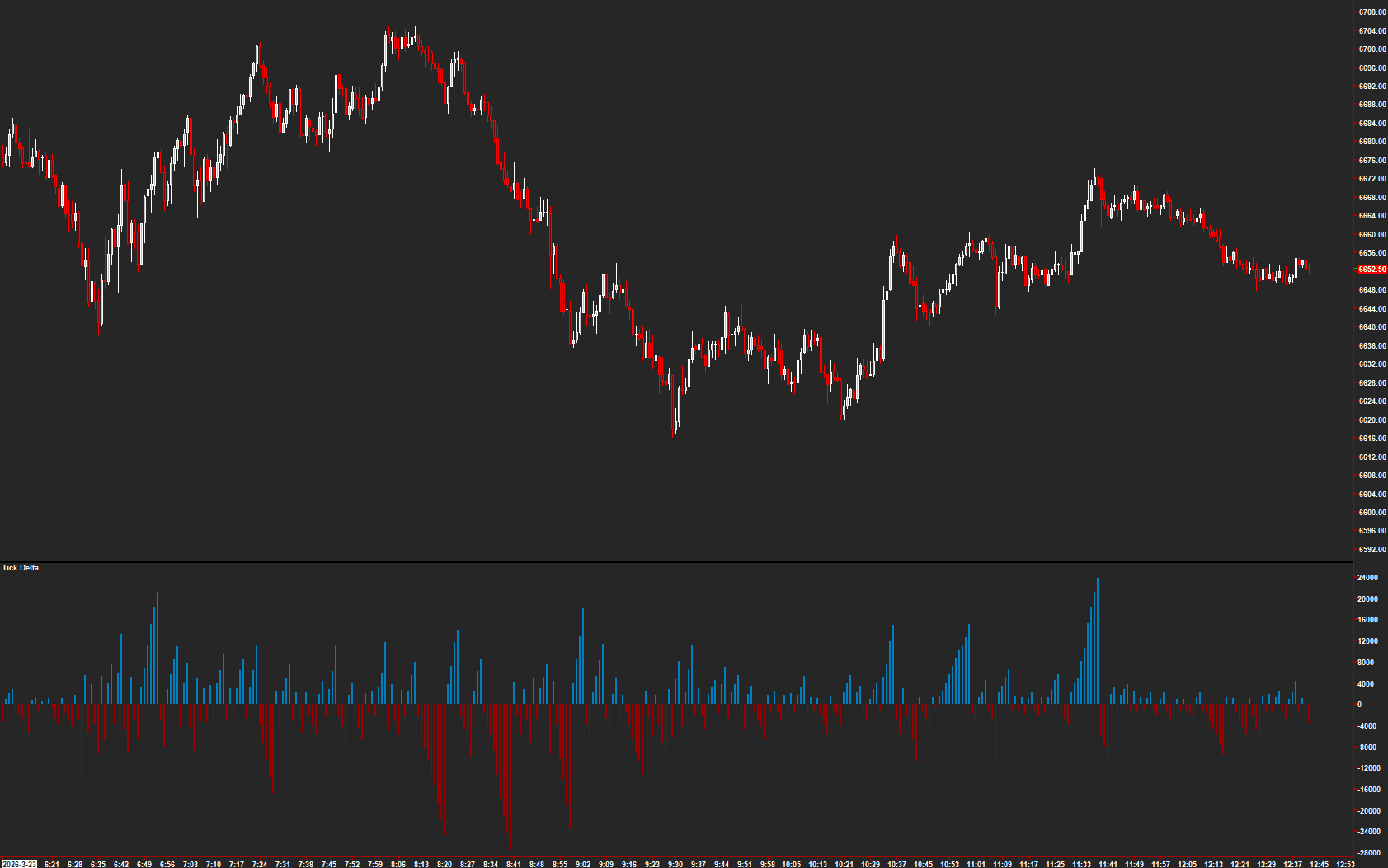
The Concept
Tick Delta analyzes order flow at the finest granularity available — individual ticks. By tracking cumulative tick-level delta, it reveals buyer versus seller pressure within each bar at a resolution that standard bar-level delta can miss. The tick average line provides a smoothed baseline for identifying when pressure shifts.
How to Read It
Colored bars and an average line are displayed in a separate chart region.
- Green bars (positive cumulative tick count) indicate net buying pressure within the bar
- Red bars (negative cumulative tick count) indicate net selling pressure within the bar
- The Tick Average line shows the smoothed trend — white when positive, yellow when negative
- Divergence between tick delta and price often provides early warning of reversals
Practical Tips
Requires tick-level data (Additional Chart Data Arrays) enabled on the chart. The Length input controls the smoothing of the tick average — shorter periods are more responsive. Display in a separate chart region for clarity. Tick Delta is especially useful for catching subtle shifts in participation that bar-level delta smooths over.
Requirements
- Displayed in a separate chart region
- Requires tick-level data (Additional Chart Data Arrays)
Input & Settings
| No. | Input Name | Function |
|---|---|---|
| 1 | Length | Number of bars used for the tick average calculation. Min: 2. Default: 15. |
Number of bars used for the tick average calculation. Min: 2. Default: 15.
Subgraphs
| No. | Subgraph Name | Function & Comments |
|---|---|---|
| 1 | Cumulative Trend Tick Count | Default: Bar. Displays the cumulative tick delta as colored bars — green when positive (buyer pressure), red when negative (seller pressure). |
| 2 | Tick Average | Default: Ignore. Stores the calculated tick average value. Can be enabled to display. |
| 3 | Tick Average +/- | Default: Line. Displays the tick average as a line — white when positive, yellow when negative. |
Default: Bar. Displays the cumulative tick delta as colored bars — green when positive (buyer pressure), red when negative (seller pressure).
Default: Ignore. Stores the calculated tick average value. Can be enabled to display.
Default: Line. Displays the tick average as a line — white when positive, yellow when negative.
Get Access to Every Study
All studies are included with the Gold License — proprietary Sierra Chart tools, Discord community access, and the full AMT framework.
Get the Gold License — $125/mo