Trend & Momentum

AMT Trend Bender

Trend detection via WMA and shifted EMA relationship

Built on the relationship between the Weighted Moving Average (WMA) and a shifted Exponential Moving Average (EMA). By comparing the position of the WMA relative to a shifted EMA, the indicator provides a visual representation of potential market trends.

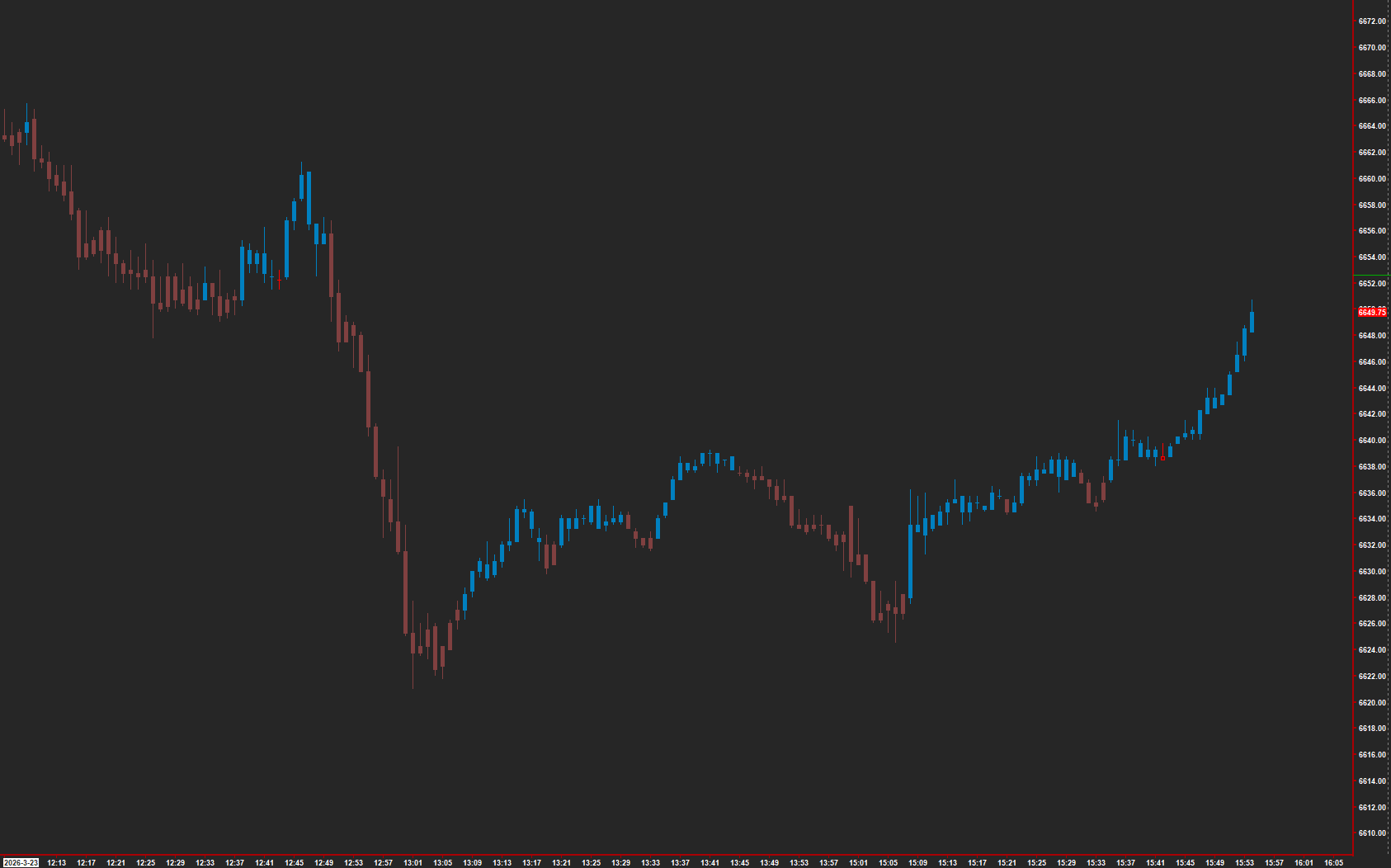
AMT Trend Bender on a Sierra Chart

The Concept

Trend Bender detects trend changes by analyzing the relationship between two moving averages — a Weighted Moving Average and a shifted Exponential Moving Average. When the WMA leads above the shifted EMA, the market is trending up; when it drops below, the market is trending down. Bar coloring makes trend direction immediately visible.

How to Read It

Bars are colored based on the moving average relationship.

  • Bullish colored bars indicate the WMA is above the shifted EMA — uptrend in progress
  • Bearish colored bars indicate the WMA is below the shifted EMA — downtrend in progress
  • Color transitions mark potential trend change points
  • The shift parameter introduces a timing element that helps filter whipsaws

Practical Tips

Adjust the EMA Shift value to match your trading timeframe — larger shifts smooth out noise but add lag. The WMA and EMA lengths control sensitivity: shorter lengths react faster to price changes. Apply on intraday charts with 1-tick data for best results. Pair with volume confirmation studies to validate trend changes.

Requirements

  • Can only be used on charts with a chart data type of 'Intraday Chart'
  • Recommended 'Intraday Data Storage Time Unit' setting '1 Tick'

Input & Settings

1WMA: Length

Defines the length (number of periods) for the Weighted Moving Average (WMA) calculation.

2WMA: Input Data

Specifies the input data series (like closing price, high, low, etc.) to be used for the WMA calculation.

3EMA: Length

Defines the length (number of periods) for the Exponential Moving Average (EMA) calculation.

4EMA: Input Data

Specifies the input data series (like closing price, high, low, etc.) to be used for the EMA calculation.

5EMA: Shift

Determines the number of periods by which the EMA is shifted. A positive value shifts the EMA to the right (future), while a negative value shifts it to the left (past). This input allows users to compare the WMA with a shifted version of the EMA, introducing a lag or lead.

Subgraphs

1Bullish

Default: Color Bar. Represents bullish signals in the market. When conditions are met, this subgraph will display a visual cue.

2Bearish

Default: Color Bar. Represents bearish signals in the market. When certain conditions are fulfilled, this subgraph will show a visual cue.

Get Access to Every Study

All studies are included with the Gold License — proprietary Sierra Chart tools, Discord community access, and the full AMT framework.

Get the Gold License — $125/mo