
 Open full-size chart ↗
What it shows
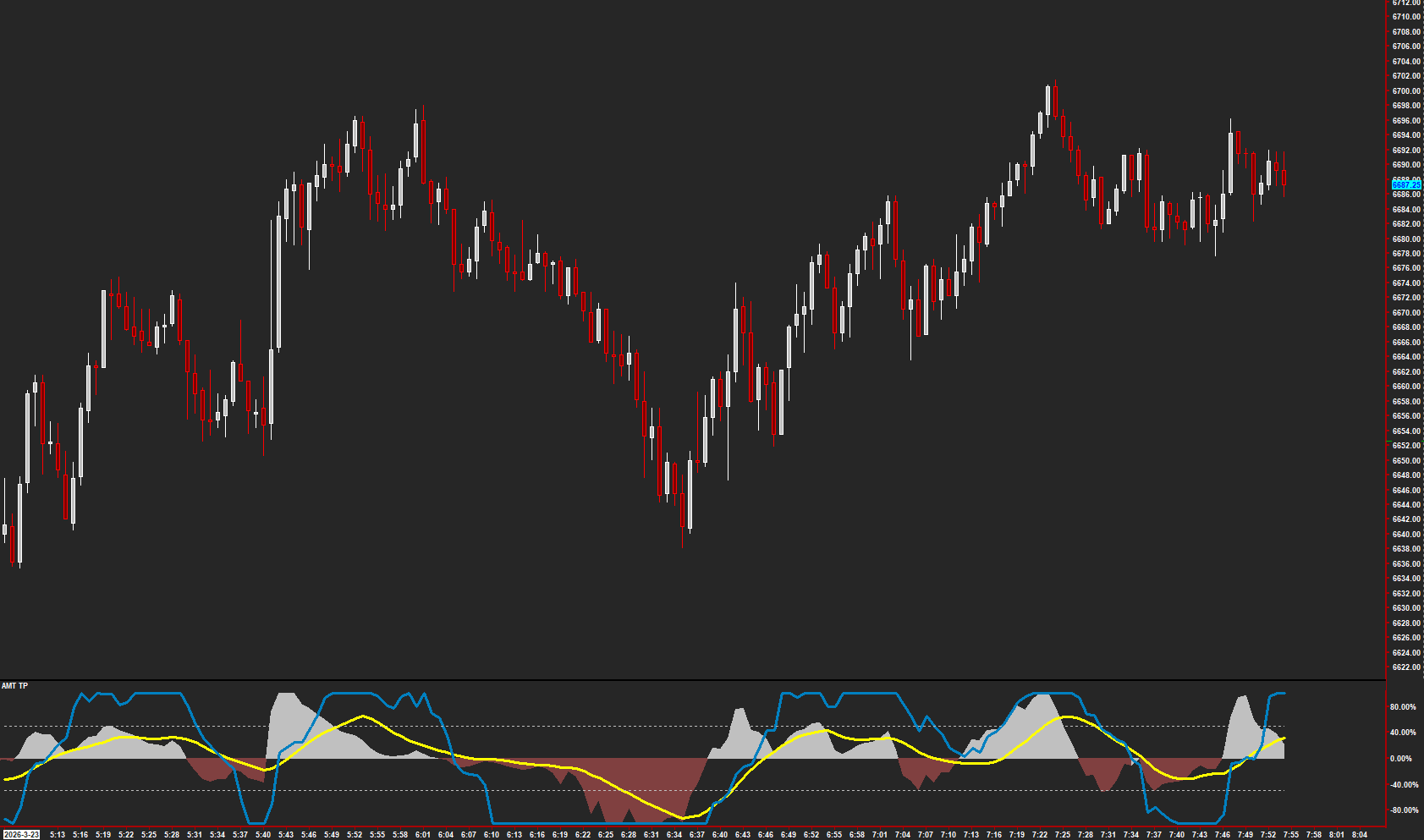
AMT TP brings its Time and Price displays together in a separate chart region so you can compare momentum states with the price chart.
How to read it
- Read the Price display and its direction alongside the current price move.
- The Time display can remain in an upper or lower zone during sustained momentum; an extreme reading alone is not a reversal.
- Look for agreement or disagreement between the displays, then compare that observation with your planned levels.
Settings that matter
Use the smoothing and display controls to keep the pane readable. Review Max and Min zone settings and marker visibility. Change one setting at a time on the same chart history.
An example to review
Price approaches a planned level while the Time display remains in its upper zone. Review whether momentum persists or weakens as price tests that level.
Illustrative reading example, not a recorded trade or performance claim.
What to keep in mind
Momentum can change quickly or lag price. Agreement between displays is context, not a guaranteed entry or profitable outcome.
Use the current AMT study on Sierra Chart. Confirm the symbol, chart type, session settings, and available data before comparing examples. Platform and market-data fees are separate.