
TRADINGVIEW · Follow the breakout workflow
AMT Zone Break
for TradingView.
Track confirmed zone breaks, entry qualification, simulated entries, stops, and target management through an on-chart checklist.
See the published script for current access information. Platform subscriptions and data requirements are separate.
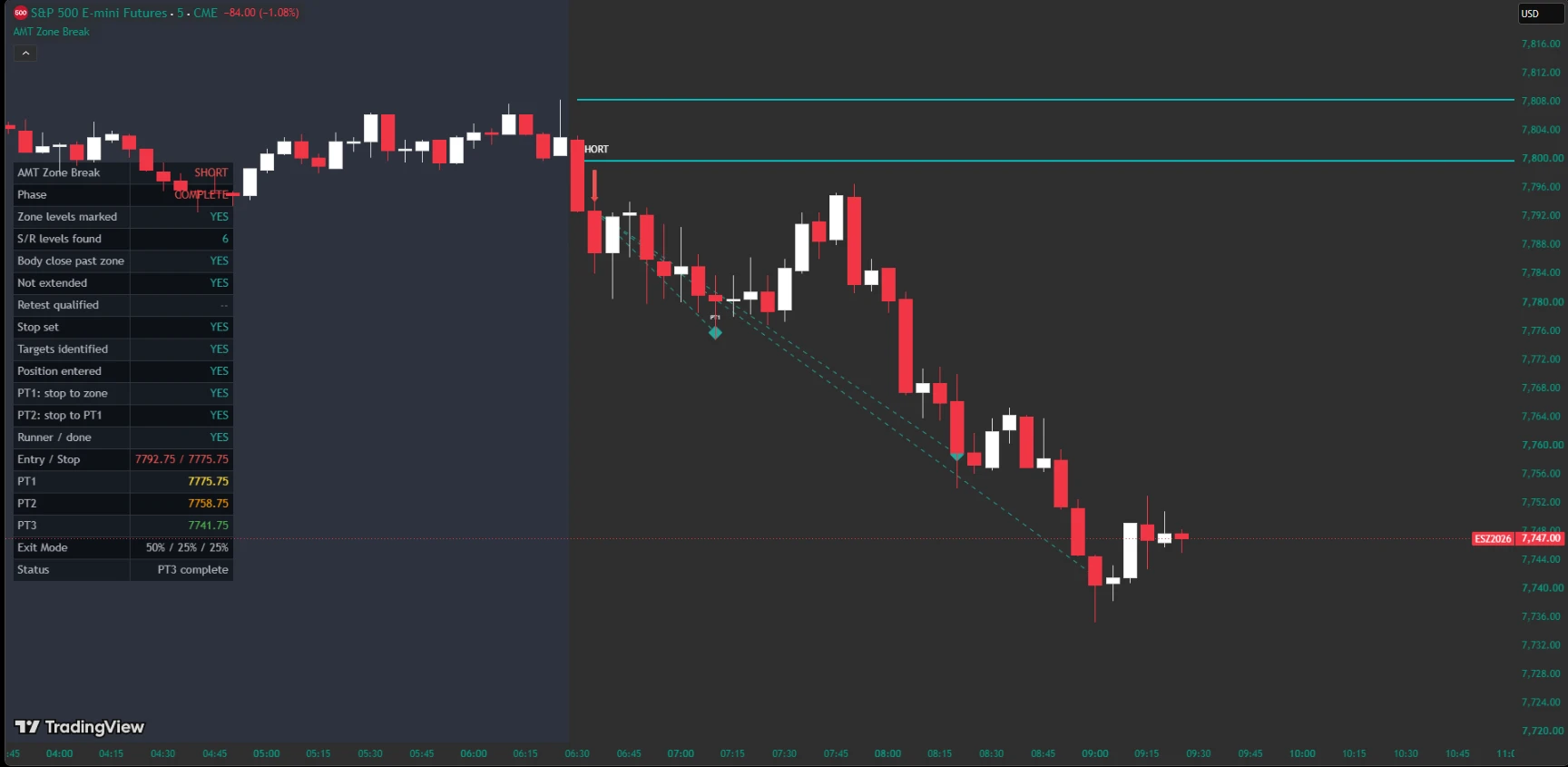
Connect and configure
Use a standard 5-minute chart with sufficient pre-session data. Set the regular session and its timezone; America/Los_Angeles is the default and adjusts for daylight saving. Overnight sessions and nonstandard charts are unsupported. Add the companion AMT Zone indicator, select its plotted line under AMT Zone Line Source, and enable AMT Zone Source Selected. This declaration is required even with the optional direction filter off; it is not automatic verification.
From confirmation to simulated entry
A completed directional candle must close beyond a session boundary. Extended setups wait for a completed bar to satisfy proximity or retest qualification. A retest does not necessarily require rejection or a close back outside the zone. Entry is modeled at a subsequent bar open, with an optional delay; entries with an invalid initial stop position are rejected.
Manage the modeled position
Stops reference the broken boundary and distance setting. Targets use confirmed swing structure with risk-based alternatives; mixed sources do not guarantee progressively farther prices. Scaling and single-target modes change exits. Stop adjustments are not necessarily break-even. Positions close at session end, and optional re-entry depends on the final exit portion rather than the whole setup result.
Understand the simulation
This indicator does not place orders or produce Strategy Tester reports. On a confirmed bar reaching both the existing stop and a target, the stop takes priority. A newly tightened stop is not retested on that same bar. Fills exclude fees, spread, slippage, liquidity constraints, and worse gap fills. Missing final session bars use the last observed in-session close when session end is detected. Create a TradingView alert separately to receive entry notifications.